
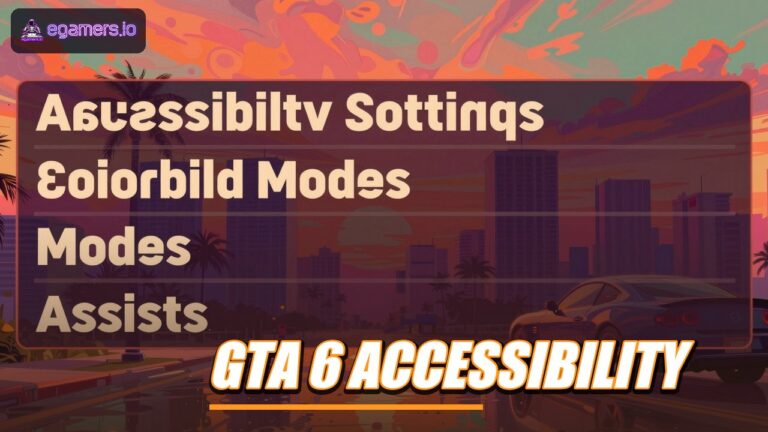




Quick answer: they are everywhere. GTA 6 spreads accessibility over Gameplay, Display, Camera, UI and Audio, so here is a map.
Start with Gameplay
Pause, Settings, Gameplay, Accessibility. You will see Tap Assist, Hold Assist, Hold Delay, Interact, Aiming and Simplified Mini Games. Elsewhere in the tab are Accessible Combat, Reduced Vehicle Damage and Auto Drive with Restricted or Unrestricted modes.
Display and camera comfort
High Contrast Shaders, Focus Trail Colorblind Mode, Flashbang and Motion Blur Strength live in Display. Camera Shake, Camera Bob and Weapon Sway sit in the camera section and are the first stop if the screen movement bothers you.
UI tab
Text size, plus map, minimap and in-world marker size. Color Adjustments and a Persistent Center Dot also hide here. Subtitles offer Mission Only, Speaker Names and Closed Captions.
Audio tab
Mono Audio, Tinnitus Reduction, GPS Voice and Screen Narration, which is English only. PS5 players also get a Controller Speaker option, and DualSense haptics and adaptive triggers can be tuned through PlayStation accessibility settings.
Oops button
Restore Default and Restore All sit at the bottom of the settings screens.
Cheat sheet
| Tab | Options |
|---|---|
| Gameplay, Accessibility | Tap Assist, Hold Assist, Hold Delay, Interact, Aiming, Simplified Mini Games |
| Display | High Contrast Shaders, Focus Trail Colorblind Mode, Flashbang, Motion Blur Strength |
| Camera | Camera Shake, Camera Bob, Weapon Sway |
| UI | Text size, marker sizes, Color Adjustments, Persistent Center Dot, subtitles |
| Audio | Mono Audio, Tinnitus Reduction, GPS Voice, Screen Narration |
Problem, fix
- Small text: UI Text Size, marker sizes, High Contrast Shaders.
- Queasy camera: shake, bob, weapon sway, blur.
- Tough button holds: Tap Assist, Hold Assist, Hold Delay.
- Sound issues: Mono Audio, Tinnitus Reduction, subtitle options.
- Hard fights or driving: Accessible Combat, Reduced Vehicle Damage, Auto Drive.
FAQ
Where do I find accessibility in GTA 6?
Pause, Settings, Gameplay, Accessibility, plus the Display, Camera, UI and Audio tabs.
Does it have high contrast?
Yes. High Contrast Shaders is in Display.
Can I cut camera shake?
Yes. Camera Shake, Camera Bob and Weapon Sway are adjustable.
Does it narrate the screen?
Yes, Screen Narration in Audio, in English only.