GTA 6 guides

30 new in the last 5 daysAll →
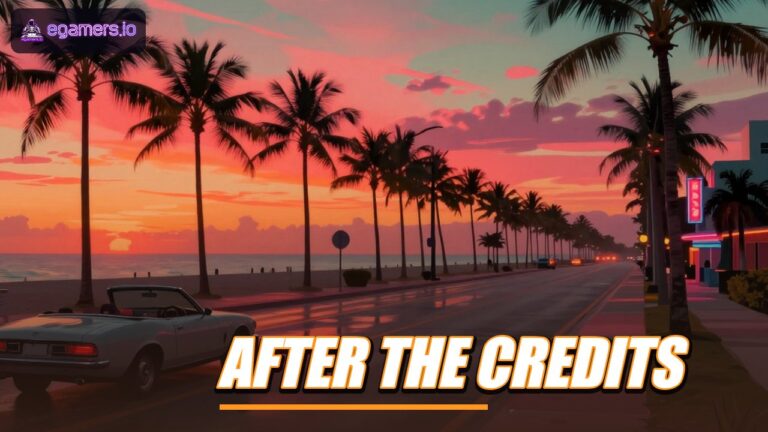
gta6 guide 133841 thumb You'll find GTA 6's aim assist options under Settings, Gameplay, Combat. The Targeting option picks Lock-On, Partial or Free Aim. Aim Assist Strength sets how much the reticle slows down as it follows a target.GTA 64 seconds agoGTA 6 aim assist explained: Lock-On, Free Aim, strength slider and Quick Drawgta6 guide 133846 thumb GTA 6 includes a driving assist called Auto Drive. You'll find it in Settings, under Gameplay, inside the Accessibility group, and its default value is Restricted. Changing it to Unrestricted allows the assist to operate in less safe situations, and one guide cautions that this may lead to collisions.GTA 620 minutes agoGTA 6 Auto Drive: Restricted vs Unrestricted and Other Driving Assistsgta6 guide 133843 thumb GTA 6 lets you switch off its pop-up messages from the Settings menu. On the Display tab, find the HUD Notifications and Progress Notifications groups. Every message type in them has a separate On or Off toggle, among them Help Text, Ticker Feed, Reminder Tips, Phone Notifications and Area Names.GTA 640 minutes agoGTA 6 Notifications Guide: Hide Help Text, Ticker Feed and Other Pop-Upsgta6 guide 133833 thumb There is no Easy, Normal or Hard choice in GTA 6. A guide published in launch week says the game's difficulty can't be changed. To make it easier, you use individual toggles found under Settings, Gameplay, in the Accessibility and Combat sections.GTA 61 hour agoDoes GTA 6 Have an Easy Mode? Difficulty and Assist Settings Explainedgta6 guide 133840 thumb GTA 6 keeps its language setting under Settings, inside the UI group on the Display tab, with English selected by default. Two settings lists published in launch week show 12 languages in that menu. The game's store listing names 13 text languages, so one language turns up in some sources and is absent from the menu lists.GTA 61 hour agoGTA 6 Language Settings: Where to Find Them and Which Languages Are Listedgta6 guide 133836 thumb To get HDR running on PS5, go to Settings, then Screen and Video, then Video Output. Switch HDR to On When Supported, pick Adjust HDR and work through the steps shown on screen. Inside GTA 6, the Display settings carry HDR Calibration and Safe Zone entries, along with a Brightness Reduction toggle.GTA 62 hours agoGTA 6 on PS5: How to Calibrate HDR and Adjust Brightnessgta6 guide 133820 thumb Go to Settings and select the Camera tab. On foot and in vehicles, height has three choices (Low, Medium or High), and the horizontal and vertical follow speeds use a scale of 1 to 10. We couldn't find a confirmed field of view slider, so you shouldn't count on one.GTA 62 hours agoGTA 6 camera settings: how to adjust height and follow speedgta6 guide 133785 thumb To silence licensed tracks, open Settings, pick the Audio tab and switch Mute Licensed Music to On under Setup. The same group holds GPS Voice, which takes On, Tones, Voice or Off, and Vehicle Radio, which takes Default, On or Off.GTA 62 hours agoGTA 6 audio settings: how to turn off licensed music and set GPS voicegta6 guide 133790 thumb To stop vibration in the game, go to Settings, then Controller, and drag Vibration and Haptics Strength down to 0. A launch-week options list shows that slider running from 0 to 10, with 10 as the default. PS5 owners can also turn the controller down at system level under Settings, Accessories, Controller (General).GTA 63 hours agoGTA 6 guide: how to switch off controller vibration and adaptive triggersgta6 guide 133798 thumb You'll find the sensitivity options under Aim and Look Sensitivity in the Controller settings. According to an options list published in launch week, the vertical look slider runs from 0 to 14 and starts at 7, and the same list puts every other sensitivity slider at a default of 7 too.GTA 63 hours agoGTA 6 Sensitivity Settings: Default Values, Ranges and Response Curvesgta6 guide 133783 thumb The Controller settings in GTA 6 include an Inverted Controls group. Inside it, the Look option has four choices (Default, Vertical, Horizontal and Both), and Vertical is the one that inverts the Y-axis.GTA 63 hours agoGTA 6 invert Y-axis: where to find the Look setting and what each option doesgta6 guide 133793 thumb To cut the blur, open Settings, head to the Display tab and pull the Motion Blur Strength slider down. Camera Shake is a separate on/off toggle in the Camera settings, inside a group named Comfort.GTA 64 hours agoGTA 6 Settings Guide: Disabling Motion Blur and Camera Shakegta6 guide 133789 thumb The Settings menu in GTA 6 includes a Units of Measurement section, and its Distance option toggles between Metric (metres and kilometres) and Imperial (feet and miles). According to one options list published in launch week, this group is part of the interface settings, alongside Navigation, HUD notifications and prompts.GTA 64 hours agoGTA 6 Units Setting: How to Switch Between Kilometres and Milesgta6 guide 134112 thumb There are three minimap styles in GTA 6. Default fades out when you don't need it, Classic keeps the radar on screen at all times, and Compass swaps the minimap for a thin direction bar. Settings also has on and off switches for the minimap, the GPS turn markers and many other parts of the HUD.GTA 64 hours agoGTA 6 HUD and minimap guide: Default, Classic and Compass modes explainedgta6 guide 134109 thumb No, says Sony. A 30-day timer started showing up on freshly purchased digital PlayStation games after a March 2026 system update. Sony describes it as a single online check that confirms the license, and says no more check-ins are needed after that. Digital GTA 6 on PS5 falls under the same rule.GTA 65 hours agoSony says the PS5 30-day license timer on digital GTA 6 needs only one online checkgta6 guide 134079 thumb Players who picked up the digital Standard or Ultimate Edition of GTA 6 from the PlayStation Store or Microsoft Store before 20 November 2026 are entitled to a free month of GTA+. On PS5 the offer can be redeemed until 31 March 2027, while Xbox owners get 180 days from the date of purchase. Unless you cancel, it rolls over into a paid subscription.GTA 65 hours agoGTA 6 free month of GTA+: how to redeem it and stop the renewalgta6 guide 133742 thumb Yes. You can stream GTA 6 with Xbox Cloud Gaming on Xbox Series X and S, and on Xbox One too. You have to own the game, and the cloud version runs at Xbox Series S graphics settings. Rockstar also says GTA 6 has full Remote Play support on both PlayStation and Xbox.GTA 65 hours agoGTA 6 on Xbox Cloud Gaming, Xbox One and Remote Play: what you need to knowgta6 guide 134087 thumb In the US, the ESRB has rated GTA 6 M for Mature 17+, and reports put it at PEGI 18 in Europe. Parents can block it on PS5 and Xbox by setting a child account's age limit under 17.GTA 66 hours agoGTA 6 Parents’ Guide: Age Ratings, PS5 and Xbox Controls, Gore Settingsgta6 guide 134073 thumb Whether you can get your money back depends on where you bought GTA 6 and whether the main game has begun downloading. PlayStation generally shuts the refund window once the main game starts downloading or streaming, and a pre-load counts. Xbox lets you cancel a pre-order up to release, but after launch a digital purchase is generally final.GTA 66 hours agoGTA 6 refunds on PS5 and Xbox: cancellation windows, pre-loads and deadlinesgta6 guide 134066 thumb Mods may not alter or extend the official story under Rockstar's revised modding guidelines, which were reported around 21 September 2026. Nor may they combine content from separate Rockstar games or bring the game to platforms Rockstar hasn't released it on. Any commercial modding has to go through Rockstar's Creator Platform. Everything else must be non-commercial.GTA 67 hours agoRockstar’s GTA 6 modding rules: what is permitted and what is off limitsgta6 guide 134074 thumb GTA 6 on Xbox Series S draws its image at 720p internally and sends 1080p to the screen. Rockstar's senior vice president of technology said the Series S works from a 720p base, and reports say AMD FSR 4.1 handles the upscaling.GTA 67 hours agoGTA 6 Series S Performance: 720p Base, FSR 4.1 Upscaling and a 30 FPS Targetgta6 guide 133701 thumb Yes. GTA 6 launches with a broad accessibility toolkit that covers subtitles and closed captions, colorblind color adjustments, tap and hold assists, and toggles that make combat and vehicle damage much more forgiving. You'll find them in the Settings menu across the Gameplay, Display and Audio tabs. That comes from a launch-week settings listing for the Xbox version, and a second guide walks through the same menus.GTA 67 hours agoGTA 6 accessibility settings: subtitles, colorblind modes, tap and hold assists and moregta6 guide 133700 thumb GTA 6 does include vehicle damage, and official footage already confirms several pieces of it: dented bodywork, tyres that leave a car riding on its rims once shot, and engines that stop working after taking gunfire. GTABase reports that gas stations handle minor damage, while a Pay n Spray or a mod shop takes care of anything heavier.GTA 68 hours agoGTA 6 vehicle damage explained: dents, shot tyres and where to get repairsgta6 guide 133687 thumb They can do either. Rockstar gave each pedestrian in Leonida their own personality traits, so some flee, some hold their ground and some hit back. The outcome depends on the person and on how you treat them.GTA 68 hours agoWill GTA 6 pedestrians run or fight? How Leonida’s NPCs react to yougta6 guide 133647 thumb The guides list three venues. NINE1NINE and Jack of Hearts are in Vice City, and Delights Cabaret is in Port Gellhorn. Beebom puts private dances at $300, $1,000 and $40 in that order. games.gg lists $300 plus $50 per tip instead, so the prices aren't settled yet.GTA 68 hours agoGTA 6 strip club guide: locations, unlock chapters and private dance pricesgta6 guide 133638 thumb Yes, GTA 6 tracks sleep. An in-game health app shows whether Jason and Lucia are rested, and Rockstar says rest affects how some attributes regenerate.GTA 69 hours agoGTA 6 sleep explained: what tiredness does to Jason and Luciagta6 guide 133653 thumb You can't hotwire every car in GTA 6. Rockstar has removed the single-button hotwire, so parked cars can be locked and the method for getting inside changes from car to car. A car that someone is driving on the road can still be jacked every time.GTA 69 hours agoGTA 6 locked cars explained: the one-button hotwire is gonegta6 guide 133642 thumb Your character can hold a maximum of two bags of stolen goods, and if your partner passes bags across, the two of you can manage four in total. On PlayStation, hold the input and press Circle to bring up the Hand Over Bag option.GTA 69 hours agoGTA 6 Inventory Guide: Loot Bag Limits, Handing Over Bags and Weapon Slotsgta6 guide 133648 thumb Yes, GTA 6 lets you ride both buses and trains. Rockstar says the bus and rail networks run as real services, and one report adds that getting on board can take you off the police radar, as long as officers didn't watch you board.GTA 610 hours agoRiding the bus in GTA 6: can public transport help you shake the police?gta6 guide 133651 thumb No ending spoilers below. Yes, GTA 6 lets you carry on once the credits roll. According to Kotaku, the game checks whether you want to proceed before the finale begins. After you have watched an ending, it brings you back to that same prompt, where Jason and Lucia decide they are not ready and head back into Vice City.GTA 610 hours agoGTA 6 after the credits: can you keep exploring Vice City?

Blockchain Games News

Top StoriesAll blockchain games news
Ranked by our score

Crypto Games

Browse all 353 live games
Genre
Blockchain
Device
#GameToken mkt capToken 7d
1Lightning Questfree browser-based RPG where you create a knight, engage in boss fights, progress through a…——
2Orions Galactic Lifesci-fi strategy game playable in your browser from Orion's Gate Studio.——
3Endless Clashno-cost mobile strategy RPG from BRN Metaverse studio.$1.7M$0.05843▼ 4.9%
4Siege Worldsblockchain-based multiplayer perspective combat title constructed on BNB infrastructure and…$11M$0.002396▲ 9.2%
5Axie InfinitySky Mavis made Axie Infinity, a chain game about buying, making and pitting cute beasts…$116M$0.6256▼ 8.9%
6Kintaraisometric MMO that runs in the browser and currently wears a beta label.——
7RollerCoinfree-to-play browser-based game that reimagines cryptocurrency mining as an arcade…+1——
8Solfarmerbrowser-based idle mining simulation running on Solana, playable on mobile or desktop…——
9Chainersbrowser-based farming simulator from 51 Games requiring no downloads or installations.+1——
10VeilBoundfree 3D MMORPG fully playable in your browser with zero setup required.——
11AFK Heroes | Idle RPGAFK Heroes is a free idle RPG in your browser on Solana.——
12NMTbrowser-based Web3 gaming platform focused on tradeable digital collectibles.——
13OVERHEAT: Cyber Tacticscyberpunk-themed tactical card battler available free in your browser or on mobile without…+1——
14Off The Gridfree-to-play third-person elimination game created and released by Gunzilla Games using…$5.7M$0.001384▼ 7.4%
15Pixelsno-cost browser-based farming and multiplayer experience rendered in classic 16-bit…$2.2M$0.00292▼ 13.6%
16Cropzfarming game played through a web browser on Robinhood Chain.——
17The SandboxThe Sandbox operates as a blockchain-based virtual environment where creators design…$105M$0.03363▼ 6.4%
18Somnium Spaceunending virtual landscape centered on VR technology and Ethereum verification.——
19Idle Donkeysfree business clicker game you play in your browser on Solana.——
20Diner ClickerDiner Clicker: Route 66 is a web-based idle and diner-operation game with crypto elements.——
21TerraX – RebirthedTerraX is a free browser MMO built on harvesting, crafting and warfare.——
22Calamityfree-to-play 2D sandbox MMORPG built on Ronin, the Ethereum-linked chain originally…——
23Wild Forestfree-to-play real-time strategy game developed by Zillion Whales.——
24Octo GamingSolana-based mobile gaming platform emphasizing head-to-head competitive matches with…$772K$0.001047▲ 1.1%
25Idle Grindidle mining game on Robinhood Chain mainnet.——
26Decimatedonline multiplayer survival title operating on the Solana blockchain.$98K$0.0002116▲ 4.7%
27Incrypt TCGweb-based trading card game built on Solana by Incrypt, a studio from Australia.$56M$0.002819▼ 3.8%
28Bugs Destroyer – Insect Smash!Bugs Destroyer: Insect Smash! is an arcade-style mobile title for Android and iOS where…——
29SplinterlandsSplinterlands operates as a trading card game featuring blockchain-registered cards, card…$4.3M$0.003131▼ 7.3%
30Voxelsbrowser-based universe on the Ethereum blockchain, previously known as Cryptovoxels.——
Dedicated Web3 gaming terminal

Gaming Tokens Intelligence

View all 388 gaming tokens
TokenPrice24h7dMarket cap
PENGUPudgy Penguins$0.004281-1.4%-12.1%$269M
VIRTUALVirtuals Protocol$0.3993+2.4%-14.2%$250M
FLOKIFLOKI$0.00001633+2.0%-12.2%$157M
MANADecentraland$0.05618+0.9%-7.5%$110M
AXSAxie Infinity$0.6256+1.1%-8.9%$110M
SANDThe Sandbox$0.03363+0.6%-6.4%$99M
Newly indexed & verified titles

Latest Web3 Games
Explore all 353 games
Ecosystem architecture

Web3 Gaming Database

From the newsroom

More from Egamers

Builder intake

Building, indexing, or investing in Web3 gaming?

Submit your game or studio and we will review it for the database.

Submit Game or Studio