


Here’s the short version: QHD and WQHD describe an identical display. Identical pixel count, identical panel, with one extra letter bolted on for the sake of a spec sheet. If two listings have had you squinting to figure out what that W adds, it adds nothing.
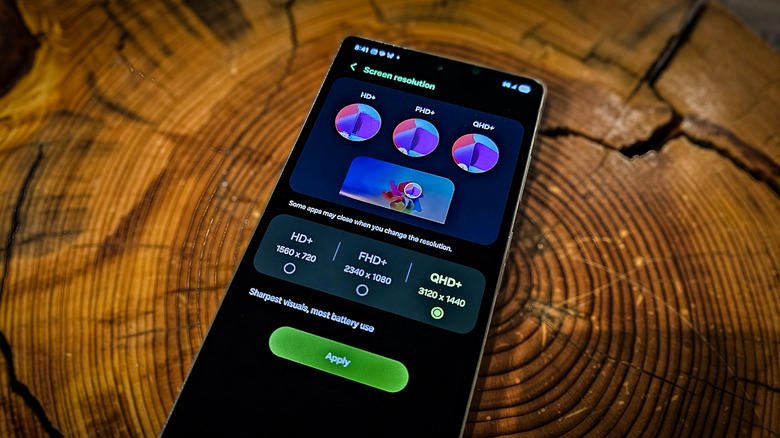
Each label refers to 2,560 x 1,440 pixels. The QHD abbreviation means Quad High Definition; WQHD means Wide Quad High Definition. The very same resolution also gets marketed as 1440p or as 2K, because display naming is an alphabet soup and manufacturers have no reason to tidy it up.
That clears up most of the confusion in one go. The rest is below.
Where the W in WQHD came from
You’ll generally find WQHD attached to phones and monitors built around a widescreen 16:9 aspect ratio. Think of it as marketing shorthand rather than a technical distinction.
Not every 2K device uses that shape, mind you. Samsung’s Galaxy Z Fold 8 runs a 2K resolution at 4:3. Still, 16:9 remains the industry standard for widescreen 2K panels, and the W is pointing at exactly that.
Stretch the panel further and the acronym stretches with it. Step up to a 21:9 ultrawide and you’re looking at UWQHD, or 3,440 x 1,440.
Why 2K is the sane default for most people
Nothing stops a smartphone from shipping with a 4K display. The trouble is that most owners would clock the battery drain well before they clocked any additional pixels.
The argument is even more obvious on PC. Gaming at 4K is rarified air reserved for buyers who can stomach the price of a high-end graphics card. Monitors in the more affordable tiers tend to be paired with systems capable of holding steady frame rates at 2K, and that’s precisely why 1440p continues to win on value.
The laptop market echoes it. A great many gaming and productivity notebooks are still sold with 1080p screens, with 2K positioned as the step up. Even after more than a decade on the market, 4K laptops stay relatively rare, since the cost is prohibitive and there aren’t many use cases to justify it.
The 4K on your TV isn’t 4K
Above the 2K mark, the acronyms largely vanish. 4K is simply sold as 4K, since shoppers already understand the label to mean “very high resolution.” Fair enough. The catch is that plenty of what passes for 4K never reaches 4,000 pixels along either axis.
What televisions typically offer is UHD 4K: 3,840 x 2,160. It’s the same resolution you get from 4K Blu-Ray discs. The label derives from the panel carrying four times the resolution of 1080p, not from how many pixels sit across the width.
Genuine 4K films are mastered at DCI 4K, the Digital Cinema Initiatives standard used by the film industry, which is 4,096 x 2,160 pixels. That is most likely what your nearby cinema is projecting. Put another way, the 4K sitting in your living room resolves slightly lower than the cinematic and professional version.
4K panels do make sense alongside high-end gaming rigs, as current GPUs such as Nvidia’s GeForce RTX 5080 and 5090 are capable of driving high frame rates at UHD.

5K exists for editors, not gamers
Two 5K resolutions count as standard: 5K UHD at 5,120 x 2,880 pixels, and 5K Ultrawide at 5,120 x 2,160. Others are out there, much as assorted odd duckling resolutions shelter beneath the 2K and 4K umbrellas, but keeping tabs on all of them isn’t necessary.
Where 5K earns its keep is narrow and very practical. Cutting video or editing photos on a 5K screen means you can view 4K content at full resolution and still leave onscreen space for toolbars and the rest of the interface.
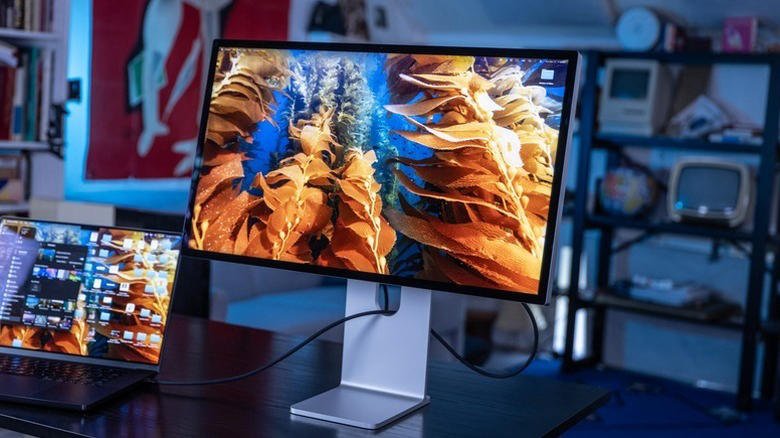
The best-known options are Apple’s Studio Display XDR, along with certain Dell UltraSharp and LG FineGear models. Every one of them targets creative professionals rather than gamers, since 4K is where gaming effectively tops out for most high-end home builds.
There are a handful of 5K gaming monitors, the LG 5K2K UltraGear evo OLED among them. Such panels are considerably rarer, and driving games at full 5K demands pairing them with extreme top-end consumer graphics cards, which puts the total cost of the setup out of reach for most buyers.
What to buy
All that resolution tells you is the number of pixels making up a piece of media or a display. The rest is naming convention stacked on top, and those conventions shift depending on whether the subject is cameras, displays or media.
Shopping today, the move is to treat QHD and WQHD as one and the same, then decide on price and panel quality. Put the 4K budget toward a television, where UHD at 3,840 x 2,160 really is the standard, or toward a GPU with enough headroom to feed a 4K panel. As for 5K, unless you’re editing 4K footage and want the extra room for toolbars, it answers a question you never asked.