

GTA 6 guides

30 new in the last 5 daysAll →
gta6 guide 133840 thumb GTA 6 keeps its language setting under Settings, inside the UI group on the Display tab, with English selected by default. Two settings lists published in launch week show 12 languages in that menu. The game's store listing names 13 text languages, so one language turns up in some sources and is absent from the menu lists.GTA 64 minutes agoGTA 6 Language Settings: Where to Find Them and Which Languages Are Listedgta6 guide 133836 thumb To get HDR running on PS5, go to Settings, then Screen and Video, then Video Output. Switch HDR to On When Supported, pick Adjust HDR and work through the steps shown on screen. Inside GTA 6, the Display settings carry HDR Calibration and Safe Zone entries, along with a Brightness Reduction toggle.GTA 624 minutes agoGTA 6 on PS5: How to Calibrate HDR and Adjust Brightnessgta6 guide 133820 thumb Go to Settings and select the Camera tab. On foot and in vehicles, height has three choices (Low, Medium or High), and the horizontal and vertical follow speeds use a scale of 1 to 10. We couldn't find a confirmed field of view slider, so you shouldn't count on one.GTA 643 minutes agoGTA 6 camera settings: how to adjust height and follow speedgta6 guide 133785 thumb To silence licensed tracks, open Settings, pick the Audio tab and switch Mute Licensed Music to On under Setup. The same group holds GPS Voice, which takes On, Tones, Voice or Off, and Vehicle Radio, which takes Default, On or Off.GTA 61 hour agoGTA 6 audio settings: how to turn off licensed music and set GPS voicegta6 guide 133790 thumb To stop vibration in the game, go to Settings, then Controller, and drag Vibration and Haptics Strength down to 0. A launch-week options list shows that slider running from 0 to 10, with 10 as the default. PS5 owners can also turn the controller down at system level under Settings, Accessories, Controller (General).GTA 61 hour agoGTA 6 guide: how to switch off controller vibration and adaptive triggersgta6 guide 133798 thumb You'll find the sensitivity options under Aim and Look Sensitivity in the Controller settings. According to an options list published in launch week, the vertical look slider runs from 0 to 14 and starts at 7, and the same list puts every other sensitivity slider at a default of 7 too.GTA 62 hours agoGTA 6 Sensitivity Settings: Default Values, Ranges and Response Curvesgta6 guide 133783 thumb The Controller settings in GTA 6 include an Inverted Controls group. Inside it, the Look option has four choices (Default, Vertical, Horizontal and Both), and Vertical is the one that inverts the Y-axis.GTA 62 hours agoGTA 6 invert Y-axis: where to find the Look setting and what each option doesgta6 guide 133793 thumb To cut the blur, open Settings, head to the Display tab and pull the Motion Blur Strength slider down. Camera Shake is a separate on/off toggle in the Camera settings, inside a group named Comfort.GTA 62 hours agoGTA 6 Settings Guide: Disabling Motion Blur and Camera Shakegta6 guide 133789 thumb The Settings menu in GTA 6 includes a Units of Measurement section, and its Distance option toggles between Metric (metres and kilometres) and Imperial (feet and miles). According to one options list published in launch week, this group is part of the interface settings, alongside Navigation, HUD notifications and prompts.GTA 63 hours agoGTA 6 Units Setting: How to Switch Between Kilometres and Milesgta6 guide 134112 thumb There are three minimap styles in GTA 6. Default fades out when you don't need it, Classic keeps the radar on screen at all times, and Compass swaps the minimap for a thin direction bar. Settings also has on and off switches for the minimap, the GPS turn markers and many other parts of the HUD.GTA 63 hours agoGTA 6 HUD and minimap guide: Default, Classic and Compass modes explainedgta6 guide 134109 thumb No, says Sony. A 30-day timer started showing up on freshly purchased digital PlayStation games after a March 2026 system update. Sony describes it as a single online check that confirms the license, and says no more check-ins are needed after that. Digital GTA 6 on PS5 falls under the same rule.GTA 63 hours agoSony says the PS5 30-day license timer on digital GTA 6 needs only one online checkgta6 guide 134079 thumb Players who picked up the digital Standard or Ultimate Edition of GTA 6 from the PlayStation Store or Microsoft Store before 20 November 2026 are entitled to a free month of GTA+. On PS5 the offer can be redeemed until 31 March 2027, while Xbox owners get 180 days from the date of purchase. Unless you cancel, it rolls over into a paid subscription.GTA 64 hours agoGTA 6 free month of GTA+: how to redeem it and stop the renewalgta6 guide 133742 thumb Yes. You can stream GTA 6 with Xbox Cloud Gaming on Xbox Series X and S, and on Xbox One too. You have to own the game, and the cloud version runs at Xbox Series S graphics settings. Rockstar also says GTA 6 has full Remote Play support on both PlayStation and Xbox.GTA 64 hours agoGTA 6 on Xbox Cloud Gaming, Xbox One and Remote Play: what you need to knowgta6 guide 134087 thumb In the US, the ESRB has rated GTA 6 M for Mature 17+, and reports put it at PEGI 18 in Europe. Parents can block it on PS5 and Xbox by setting a child account's age limit under 17.GTA 64 hours agoGTA 6 Parents’ Guide: Age Ratings, PS5 and Xbox Controls, Gore Settingsgta6 guide 134073 thumb Whether you can get your money back depends on where you bought GTA 6 and whether the main game has begun downloading. PlayStation generally shuts the refund window once the main game starts downloading or streaming, and a pre-load counts. Xbox lets you cancel a pre-order up to release, but after launch a digital purchase is generally final.GTA 65 hours agoGTA 6 refunds on PS5 and Xbox: cancellation windows, pre-loads and deadlinesgta6 guide 134066 thumb Mods may not alter or extend the official story under Rockstar's revised modding guidelines, which were reported around 21 September 2026. Nor may they combine content from separate Rockstar games or bring the game to platforms Rockstar hasn't released it on. Any commercial modding has to go through Rockstar's Creator Platform. Everything else must be non-commercial.GTA 65 hours agoRockstar’s GTA 6 modding rules: what is permitted and what is off limitsgta6 guide 134074 thumb GTA 6 on Xbox Series S draws its image at 720p internally and sends 1080p to the screen. Rockstar's senior vice president of technology said the Series S works from a 720p base, and reports say AMD FSR 4.1 handles the upscaling.GTA 66 hours agoGTA 6 Series S Performance: 720p Base, FSR 4.1 Upscaling and a 30 FPS Targetgta6 guide 133701 thumb Yes. GTA 6 launches with a broad accessibility toolkit that covers subtitles and closed captions, colorblind color adjustments, tap and hold assists, and toggles that make combat and vehicle damage much more forgiving. You'll find them in the Settings menu across the Gameplay, Display and Audio tabs. That comes from a launch-week settings listing for the Xbox version, and a second guide walks through the same menus.GTA 66 hours agoGTA 6 accessibility settings: subtitles, colorblind modes, tap and hold assists and moregta6 guide 133700 thumb GTA 6 does include vehicle damage, and official footage already confirms several pieces of it: dented bodywork, tyres that leave a car riding on its rims once shot, and engines that stop working after taking gunfire. GTABase reports that gas stations handle minor damage, while a Pay n Spray or a mod shop takes care of anything heavier.GTA 66 hours agoGTA 6 vehicle damage explained: dents, shot tyres and where to get repairsgta6 guide 133687 thumb They can do either. Rockstar gave each pedestrian in Leonida their own personality traits, so some flee, some hold their ground and some hit back. The outcome depends on the person and on how you treat them.GTA 67 hours agoWill GTA 6 pedestrians run or fight? How Leonida’s NPCs react to yougta6 guide 133647 thumb The guides list three venues. NINE1NINE and Jack of Hearts are in Vice City, and Delights Cabaret is in Port Gellhorn. Beebom puts private dances at $300, $1,000 and $40 in that order. games.gg lists $300 plus $50 per tip instead, so the prices aren't settled yet.GTA 67 hours agoGTA 6 strip club guide: locations, unlock chapters and private dance pricesgta6 guide 133638 thumb Yes, GTA 6 tracks sleep. An in-game health app shows whether Jason and Lucia are rested, and Rockstar says rest affects how some attributes regenerate.GTA 67 hours agoGTA 6 sleep explained: what tiredness does to Jason and Luciagta6 guide 133653 thumb You can't hotwire every car in GTA 6. Rockstar has removed the single-button hotwire, so parked cars can be locked and the method for getting inside changes from car to car. A car that someone is driving on the road can still be jacked every time.GTA 68 hours agoGTA 6 locked cars explained: the one-button hotwire is gonegta6 guide 133642 thumb Your character can hold a maximum of two bags of stolen goods, and if your partner passes bags across, the two of you can manage four in total. On PlayStation, hold the input and press Circle to bring up the Hand Over Bag option.GTA 68 hours agoGTA 6 Inventory Guide: Loot Bag Limits, Handing Over Bags and Weapon Slotsgta6 guide 133648 thumb Yes, GTA 6 lets you ride both buses and trains. Rockstar says the bus and rail networks run as real services, and one report adds that getting on board can take you off the police radar, as long as officers didn't watch you board.GTA 68 hours agoRiding the bus in GTA 6: can public transport help you shake the police?gta6 guide 133651 thumb No ending spoilers below. Yes, GTA 6 lets you carry on once the credits roll. According to Kotaku, the game checks whether you want to proceed before the finale begins. After you have watched an ending, it brings you back to that same prompt, where Jason and Lucia decide they are not ready and head back into Vice City.GTA 69 hours agoGTA 6 after the credits: can you keep exploring Vice City?gta6 guide 133606 thumb Spoilers for Chapter 4. Cash Injections (Hang Out With Nate) is a mission for Lucia that begins at the Muscle Beach gym on Ocean Beach. Nate, a Synthol seller, brings Lucia along to a deal in a back alley that goes wrong, and the whole thing wraps up with a stop for ice cream. PowerPyx lists no reward for it.GTA 69 hours agoGTA 6 Cash Injections walkthrough: Lucia’s alley deal with Nategta6 guide 133601 thumb Spoilers for Chapter 4. Andrea's scheme in Dirty Work has Jason pretend to be a client who hires Raina as a dominatrix, while Lucia takes pictures from the other side of the street. The aim is to plant distrust inside Kordell's crew. According to PowerPyx, the mission has no reward.GTA 69 hours agoGTA 6 Dirty Work walkthrough: setting up Raina at the Velvet Palm Motelgta6 guide 133612 thumb Spoilers for Chapter 4. In Power Play (Help Kordell's Crew), Jason and Lucia both end up working against the same crew. Jason breaks into a building and takes photos of the real heist plan, while Lucia gives cover during the robbery of an armored truck. The reward listed by PowerPyx is $40,000.GTA 610 hours agoGTA 6 Power Play walkthrough: Kordell’s crew, the armored truck job and a $40,000 payoutgta6 guide 133561 thumb Contains light Chapter 4 spoilers. Pay Abe's Fee is a mandatory Chapter 4 mission. It costs you $75,000, and story progress is the only thing you get back. According to PowerPyx, you pay the law group on the spot with the BuckMe app. In exchange, lawyer Abe Gonzalez can give Jason and Lucia new identities as Mr. and Mrs. Walker.GTA 610 hours agoGTA 6 Pay Abe’s Fee guide: sending $75,000 on BuckMe for the Walker identities

Blockchain Gaming Digest 19/25 October 2020

Blockchain Gaming Digest

Welcome to our Blockchain Gaming Digest 19/25 October 2020!

This week Splinterlands SPS $0.003139 ▼ -7.3% is the most played game with 7,112 active users, while Upland follows with 6,394. The third game is Galaxy Blocks, with 4,959.

Blockchain Gaming continues growing and for this week we have some great updates from various projects. First and foremost, probably one of the most bullish signs is Paypal’s announcement to add Cryptocurrency support. Crypto will become mainstream and milllions of gamers will have instant access to Ethereum, meaning that they are just a step away from blockchain gaming and non-fungible tokens. The first supported cryptocurrencies will be Bitcoin, Ethereum, Bitcoin Cash, and Litecoin. 

Moving on, let’s see the most important news that occurred this week in blockchain gaming.

Chainlink VRF is Live on Ethereum And Embraces Blockchain Gaming

Chainlink tap into gaming with VRF (Verifiable Random Function)
Blockchain Gaming Digest 19/25 October 2020 60

Chainlink successfully launched VRF technology—a fair random function on the Ethereum network for all blockchain-based applications, NFT’s and games.

Read More

Blankos Limited-Edition Founder’s Pack Sale is Live

The MMO open-world blockchain game Blankos is hosting a limited-edition founders pack sale. Every participant on the sale will have guaranteed priority Beta Access on November 17 and permanent Founders status.

Read More

Splinterlands to Release Land Presale on November 7, 2020

The first-ever Land presale is coming on Splinterlands next month. Land will play a critical role in the game’s future that also plans a major expansion with new types of cards and significant refining to the existing battle system.

Read More

BANDAI NAMCO Joins Google, Microsoft, Ubisoft, former Sony CEO on NFT Awards

Voting is now open for the first annual NFT Awards organized by Enjin. Furthermore, BANDAI NAMCO joins the rest of the notable judges.

Read More

My Crypto Heroes to Launch MCH Coin

My Crypto Heroes is expanding its ecosystem by releasing a new ERC-20 governance token called MCH Coin. Owners can have voting rights and there will be a token drop for asset holders.

Read More

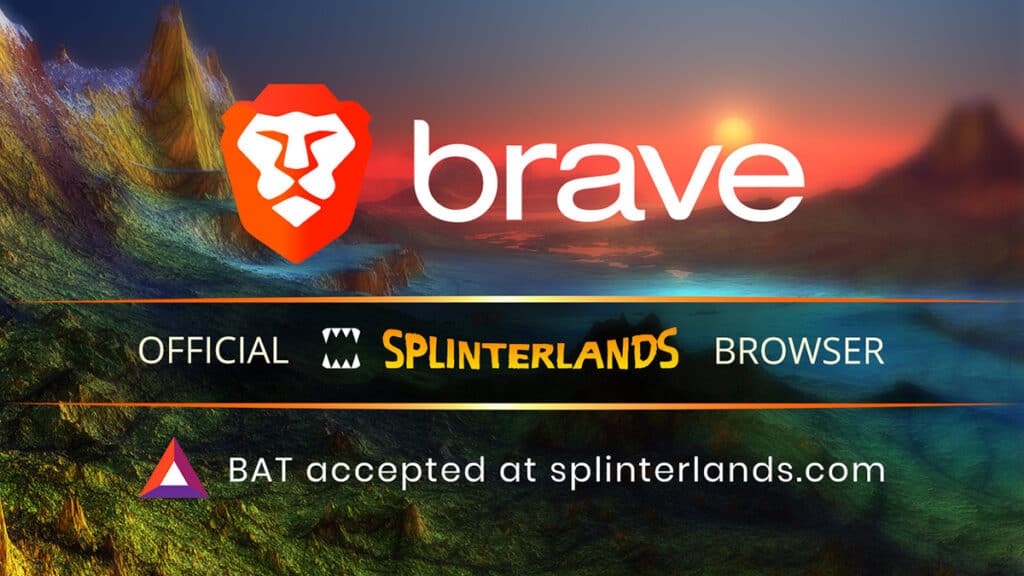
Splinterlands and Brave Browser Partnership
Splinterlands and Brave Browser
Blockchain Gaming Digest 19/25 October 2020 61

Splinterlands and Brave browser both reward their users for their engagement, so playing Splinterlands from your Brave browser doubles your rewards. Both companies will promote each other benefits to their communities.

Read More

Atari And Wax Partnership

Atari teamed up with WAX to bring collectibles from the pop-culture video game phenomenon to the blockchain. Also, Atari announced the Atari Token public sale on October 29.

Read More

BitTorrent Acquired DLive

BitTorrent announced today that it has officially acquired the eSports streaming platform DLive. DLive will be part of the new BitTorrent X ecosystem.

Read More

Pro Fight League Joined Socios Platform

The pro fight MMA league is the first-ever Sports League to be tokenized on the blockchain. Socios App will release the official Pro Fight League Token in 2021.

Read More

Super Crypto Kart Tournament With $1,500 in CHAIN Prizes

Super Crypto Cart by Chain Games announced an upcoming tournament featuring $1,500 CHAIN Token prizes for the winners and $25 Chain to ten random players. The tournament will take place in two phases starting on November 1st, 2020. Also, Chain Game NFT’s are now available on Rarible exchange.

Read More

Tron Trade Added TGCT Token

You can now trade TGCT Tokens on TronTrade. TGCT Token is the Tron Game Center Platform’s primary currency where gamers can play to earn TGCT and other Tron-based Tokens.

Thanks for reading our Blockchain Gaming Digest 19/25 October 2020. Discover more games at our Blockchain Games List.